Jun
08
2010
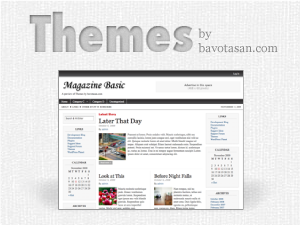
Magazine Basic v2.6 WordPress Theme
Since I have been doing all this talking about WordPress 3.0, I thought it only fitting to start incorporating some if its features into my themes. The first theme to get the upgrade is Magazine Basic. Version 2.6 also has the Arturo Theme Engine v2.0 installed to give a smoother experience while configuring the theme options. The new MB is currently available for download off of WordPress.org.
Here are a few of the new features:
- WordPress 3.0 menu system
- WordPress 3.0 background editor
- Arturo Theme Engine v2.0
- Ajax save function
- Cleaner code
If you require help or support, please visit the Support Forum and ask all your questions there. Questions about themes or plugins posted in the comments below will not be answered.


merci bcp
Awesome!!!!!
missing just one slide!
I love this theme. It is a great help for those wanting a very polished and professional look for their website.
I’ve just done the update to the latest MB theme. However – I can no longer change the categories on the header. Am I missing something? Where do I go to change these now?
Much appreciated!
The latest version of Magazine Basic is built for WordPress 3.0. The new menu system only works with WP 3.0.
with the plugin smooth-slider ,it’s Fabulous!
Thank you for this th?®me
I upgraded to WP 3.0 and your newest version of the theme, unfortunately when I go to the widgets page I only have editing for 1 sidebar. Also, my front page layout isn’t formatting correctly even though I have it saved properly on your configuration page. It’s the default 1 story on top of each other layout rather than the 1-2-3 that I want. Also, on all my story pages it looks like my logo doesn’t properly show up? What am I doing wrong?
Download version 2.6.5.
Hi,
This is a nice theme, professional looking while simple and clean. Making it quite easy to switch from the theme I used to this one
Yet, there is one thing I can’t figure out. In the comments, there is a REPLY button. In my blog, not only that the word “REPLY” doesn’t show, but the button itself isn’t working as well. Would you please tell me what is wrong here? Thanks much!
You need to turn on nested comments. Go to your WordPress settings panel under the Discussion link.
Thanks C. Bavota. N, I have just subscribed to your RSS feed. Cheers!
Thank you for the nice theme. I love it
I have been using Magazine basic for many sites for a while now however after upgrading to WP 3.0 and using the latest MB version I can no longer sort the categories at the top of the page.
Can I edit the code easily to make all categories show up? If so can anyone help with this please?
Thanks
Try using the new WordPress 3.0 menu system. Go to Appearance => Menus.
Awesome thanks. I had not noticed the new menu functions.
Thanks for great support and themes!
hi, same question here. Also, with the new theme, it shows bold text in the excerpts if the case in the article, which wasn’t so with previous version. Any way of making it
a) to show more words and
b) to show plain text only? oh, and
c) I’d like to increase font size in the menu, haven’t found an option anywhere.
thanks in advance!
You created a wonderful theme with great options. But how do I increase the point size of the body of the text? Is it possible to do that when displaying the items as single posts? Please help. Thank you.
Simple and at the same time a very good theme.
I love simple themes, without unnecessary adornments
Very nice theme–thank you for sharing.
i have to say that i am so pleased with the magazine basic template and much praise goes to bavota san for his development in making the template. i also have had satisfactory support from bavota san that has been very helpful. i am quite impressed with his work ethics as far as getting back to a client in a timely manner. i highly recommend him and his templates!!
Hi, I have installed the latest version and set posts to show on front page to 18 and also set “Blog pages show at most” and RSS to 18 (i.e. wp-admin/options-reading.php) but on the index page I only get 1 page showing 18 posts. Any ideas how to get it paginating and showing the others?
ah, “fixed it”. I was using the Featured Post plugin and I think the category of the featured post was removed from the index listing.
Is that how it is supposed to work? Sort of makes sense thinking about it now.
Hi, Love the theme! One quick question, how can I change the font on the menu? I have looked in the css file, but don’t see it. Do I have to have a premium version?
Again, EXCELLENT THEME!
The navigation menu can be styled using “.main-navigation” in the style.css file.
I tried that, it didn’t work, then I went back to the site and it worked. Some kind of weird server glitch. Anyway, thank you so much. Keep doing what you are doing.
How to get pages instead of categories below the header? and How to exclude certain pages?
Go to Appearance => Menus.
This is one of the best templates ever made. i use it on my dating blog and serveral other sites, thank you for your work.
I would like to download MB 2.5.11 as I am comfortable with this version than the new 2.6. Can anyone help with the link to download this version.
Thanks in advance.
Great theme. Thanks very much.
Yeah its really attractive my teacher advised me to see it. thanks a lot I will try.
———–
Deepak