
Creating CSS Sprites with SpritePad
by c.bavota | Posted in Articles | 12 comments
One of the most important steps to creating a great website is making sure that it’s optimized. And a great way to do just that is to gather all of your images together into one CSS sprite. That way, only one HTTP request is needed to fetch all of your images which in turn will speed up your site. Read about more tips on site optimization in my article Optimization Tips to Speed Up Your Site.
Creating a CSS sprite can sometimes be a bit of a headache. You have to align each image into the sprite and then write a lot of CSS in order to make sure each image displays properly. Thankfully, there are some tools out there that make things easier and my favorite is We Are Kiss’s SpritePad.
![]()
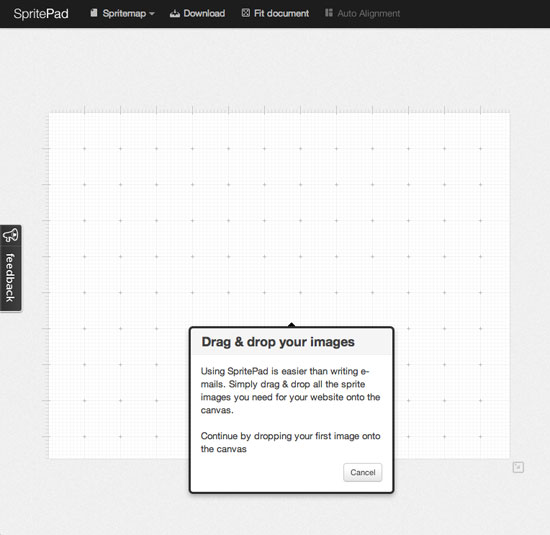
SpritePad is super simple to use. Just drag your images into the grid and it will create a PNG file for you to download along with the appropriate CSS for each image. Just follow the Guided Tour to see how quickly you can make your CSS sprite. It’s a great tool to help any web developer optimize their site.


Thanks for another good tip!
Spritepad rocks. I use it with a lot of benefits! Thank you for the tip!
Wow c.bavota I had been trying for the last few hours to optimize my site by doing these CSS sprites (I am no coder) just an average webmaster… Anyways, there was no way i was going to be able to do this with CSS and so I started the Google search for better option and found this recommendation. Sprite Pad is ridiculously easy to use and my site speed (i use lots of images) speed up considerable after implements sprites… cheers for the head up…
btw Montreal is awesome!
Wow! Thanks for sharing
I’ve just started playing around with sprites… I had trepidation because they took so darn long when writing the CSS. This tool looks it might be easier to manage and not cost production time. I’ll try it.
Thanks for this … I ran the Google page speed analyzer and it told me to do sprites on my site and it looked pretty daunting at first however this was relatively painless. Now that I have a sprite css and .png file any idea how I could modify my WordPress template to point at sprites. Would I have to modify the php or could this all be done in css ?
Excellent info on sprites. That tool will save a lot of time.
Yes great article cool tool!
from where to drag images?
You drag them from your desktop. click through to http://spritepad.wearekiss.com/ to test it out.