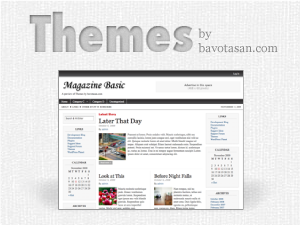
Magazine Basic v2.5
Free WordPress Theme

Posted on November 11, 2009  |  Category: Downloads

magabasi Magazine Basic v2.5<br /> Free WordPress ThemeIt took a bit more time than I had originally anticipated, but the wait is finally over. Magazine Basic v2.5.4 is now available for download on WordPress.org.

Here are a few of the new features:

  • Translation Ready (.po & .mo)
  • New Superfish Category Menu
  • Easier Header Logo Uploader
  • CSS Fix for IE
  • New Design Elements

I have also managed to fix a bunch of bugs that have been the bane of my existence for the last little while. But now thanks to my new Support Forum, bugs and other issues have a archive to help out everyone. So please place all questions concerning Magazine Basic in the Support Forum.

Download Demo

Tags: , , , , , , , , , , , , , , , , , , , , , , , , , , , , , , , , , , , , , ,

Short URL: http://bavotasan.com/?p=1488

helpIf you require help or support, please visit the Support Forum and ask all your questions there. Questions about themes or plugins posted in the comments below will not be answered.

17 Responses to “Magazine Basic v2.5
Free WordPress Theme”

  1. MGF

    Dear Bavotasan:

    The new 2.5 version of Magazine Basic has a number of issues with the layout and I’d like to go back to using the earlier version (for instance, MB 2.5 doesn’t recognize parent vs. child postings in the nav bar.). Are earlier versions available anywhere for download?

    #6573
  2. I think I’ll try this theme on the next site I create. What does “Superfish” menu mean btw?

    #6692
  3. I am using MB for couple of wordpress sites I maintain and I love it. I need a bit of help with the following: how can I preserve some basic formatting (e.g., text decorations for links, italics etc) on the front page? I have worked my way through the style.css file but I was not able to find where/how the formatting is suppressed for the front page.

    #6703
  4. I am looking for the formatting of the calendar, specifically the text of the month name and normal dates that don’t have a tag on them. Warm regards

    #6758
  5. simple and nice themes.

    #6915
  6. Very nice and clean theme. Did you in new version of Magazine Basic v2.5.4 have solved issues with v2.5 mentioned above?

    #6925
  7. gader

    Very nice one -Thx !
    I’ve just a question, I don’ understand how is setted the leftcontent (in the mainwrapper) ?

    #7008
  8. Jay

    I’m trying diferent themes ande I think I like MAGAZINE BASIC the most.

    QUESTION:

    1) POST’S “TITLE” AREA – How can I change the FONT SIZE in a post’s Title Area?
    2) Also – In the actual post area, when I aqply “Heading 2″ or “3″. the size is changed, but not when I see the post on the front page??

    Thanks,
    Jay

    #7285
    • The font size in controlled by the style.css file. You need to edit the CSS in that file to change the font size.

      If you are using the excerpt for the front page, it will strip all your tags. Use the content instead.

      #7319
    • Jay

      Where in the CSS file. There are many instances of “post” and “font”. I basically want the post “title” to be smaller on my front page. I went to the Style.css file, but I don’t know exactly where to change the font size.

      #7328
    • You are look for .ind-post h1, .twopost h1 and .threepost h1 in the style.css file.

      #7333
    • Jay

      Dear Mr. Bavota,

      I took you direction and went to:
      .ind-post h1, .twopost h1 and .threepost h1 in the style.css file. I changed the font sizes and still- on the FRONT PAGE the font size in the MAIN POST TITLE does not change. The size of that first post title is too large for my tastes.

      Am I doing something wrong.

      Thank you so much.

      #7534
    • I would need to see the site. What is your URL?

      #7542
  9. I’m using Magazine Basic theme, it’s great!…

    Saludos desde Argentina!

    #7290
  10. Hi there Bavotasan,

    I am keen with your MB theme and should be very keen to be one of your five. Is it possible for you to create a few more page templates, for example a Blog/Discussion format that looks more classically blogish? The benefit of this is that pages where comments are turned off of regular posts that are quality content not for commenting on, can be left tidy and the discussion blog can look more traditionally blogish?

    Dom

    #7354

Leave a Reply

To enter code in the comment box, please place it between <pre lang="php"> </pre> tags. You don't have to convert any characters to their hex/HTML code. Just add your code the way you would to any code editor.